Server installation
Account-based install (recommended)
Redcherry is installed from your client account, which links the server to you and works on Debian 12/13 and Ubuntu 22.04/24.04/26.04 (it also migrates an existing Bluecherry install automatically):
1. Create your account at https://redcherry.ch/app
2. Copy your personal install command (it contains a one-time code)
3. Paste it as root on the server.
Video tutorial on how to install Redcherry server using the package method above.
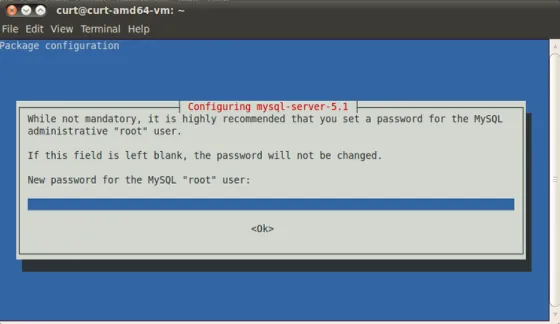
mysql-server setup
Redcherry uses mysql for storage of configuration and events. It is highly recommended that you follow the defaults during this setup and to remember the password you set for the mysql-server. You will need this password after the mysql-server setup and during the actually installation of the Redcherry server
At this point the Redcherry server will be installed. If you plan to install the client on the same system, then please follow the client installation guide.
The steps below follow the package-based installation from the Redcherry repository described above.
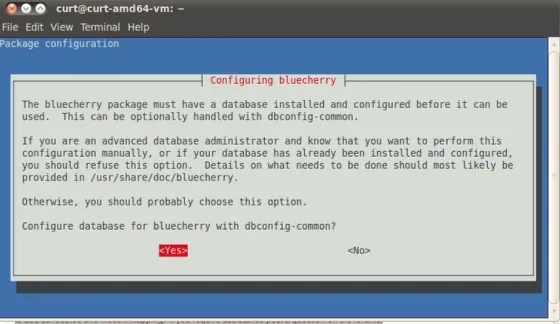
You will now be asked to configure Redcherry. You must hit Yes, or the installation process will fail.
Enter the database administrative password that you set previously for the ‘root’ user.
Enter the password that you want to create for the bluecherry database. This can be the same password that you provided for the root MySQL account, but we recommend keeping the password unique. You will be asked to enter this password twice to verify the password matched.